Voice Typing vs Speech to Text: What’s the Difference?
Voice technology has become an essential productivity tool. From writing notes faster to transcribing meetings automatically, speech recognition tools are now used by students, creators, developers, and remote teams.
Two common terms often confuse people:
Voice typing and speech to text.
Although they sound similar, they are designed for different workflows. Understanding the difference can help you choose the right tool depending on whether you're dictating text live or processing recorded audio.
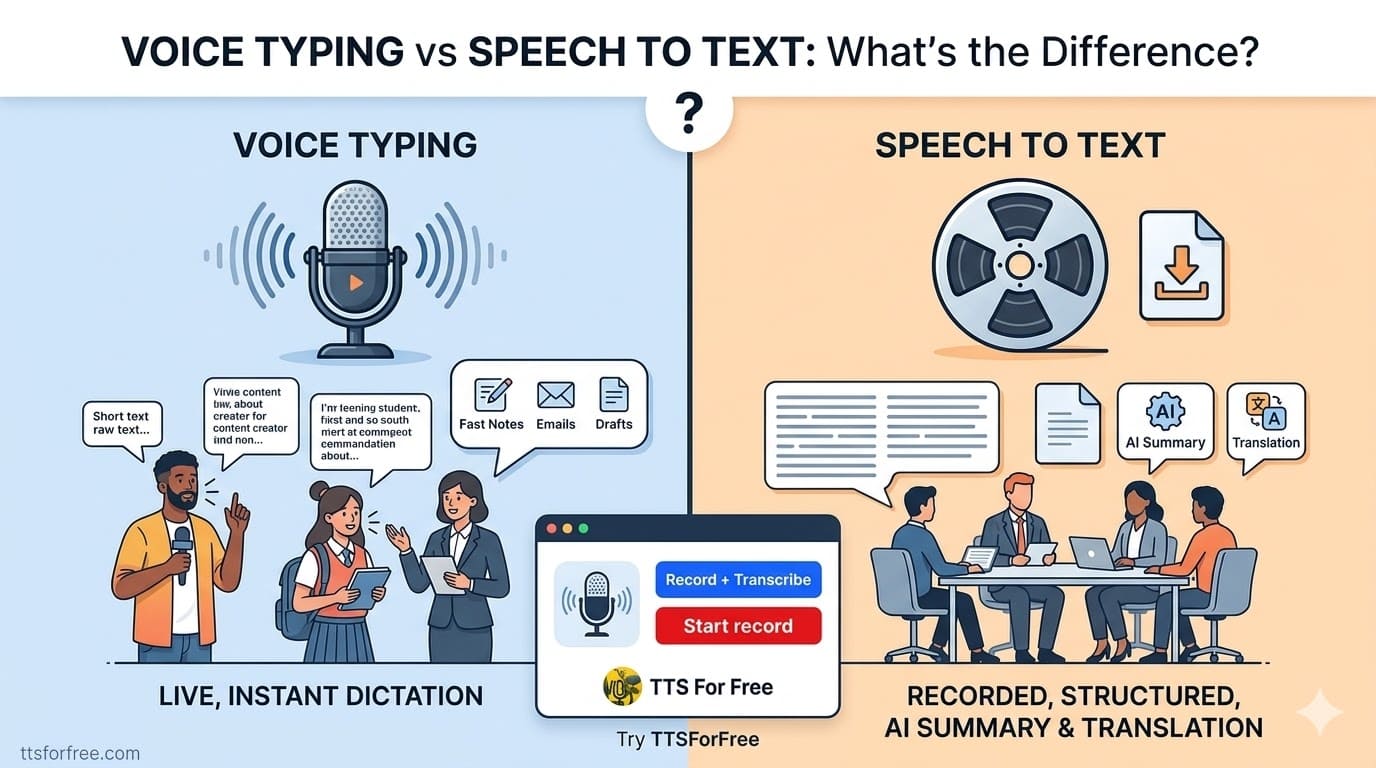
Two Modes: Voice Typing and Audio Transcription
The Speech to Text tool on TTS For Free supports two different modes depending on your workflow.
Voice Typing Mode
This mode allows you to speak directly into your microphone and convert speech into text in real time.
Voice typing is designed for quick dictation and short live sessions where you want text to appear instantly as you speak.
Typical use cases include:
- writing notes
- dictating documents
- capturing ideas quickly
- live transcription
- Voice typing works best for short continuous sessions, such as quick notes or drafting text while thinking.

Record + Transcribe Mode
This mode allows you to record audio first and then convert it into text automatically.
It is ideal for longer conversations and recordings such as:
- meeting recordings
- interviews
- lectures
- podcasts
The recording length typically supports up to around 90 minutes per session, which is suitable for most meetings or discussions.
After transcription, you can also:
- generate an AI summary
- translate the transcript
- download the text
You can try both modes here:
https://ttsforfree.com/en/speech-to-text/

What Is Voice Typing?
Voice typing is a real-time dictation tool that converts your spoken words directly into text while you are speaking.
Instead of typing on a keyboard, you simply talk into your microphone and the system writes the text instantly.
Typical use cases include:
- Writing blog drafts
- Taking notes quickly
- Dictating emails
- Creating subtitles manually
- Brainstorming ideas
Voice typing is ideal when you want to replace typing with speaking and generate text faster.
However, voice typing usually works best for short sessions and live dictation, rather than long recordings.
What Is Speech to Text?
Speech to text is a broader technology that converts spoken audio into written text, including both live speech and recorded audio.
It is commonly used for transcribing meetings, interviews, podcasts, and lectures.
For example, you can:
- Record a meeting
- Upload an audio file
- Automatically convert speech into text
- Generate summaries of the conversation
- Translate the transcript into another language
If you want to try converting voice recordings into text, you can use this tool:
Speech to Text
https://ttsforfree.com/en/speech-to-text/
It allows you to record audio, transcribe it instantly, generate AI summaries, and translate the transcript.
Voice Typing vs Speech to Text
Here is the main difference between the two:
| Feature | Voice Typing | Speech to Text |
| Input | Live microphone | Live speech or recorded audio |
| Purpose | Dictation | Transcription |
| Audio length | Short speech | Long recordings |
| Typical use | Writing text | Meetings, interviews |
| Output | Raw text | Transcript, summary, translation |
In simple terms:
Voice typing helps you write faster.
Speech to text helps you convert spoken audio into structured text.
When Should You Use Voice Typing?
Voice typing is best when you want to generate text instantly while speaking.
For example:
- Writing documents faster
- Dictating ideas while thinking
- Creating notes during work
- Sending voice messages as text
Many writers use voice typing because speaking is often faster than typing.
When Should You Use Speech to Text?
Speech to text becomes more useful when working with longer conversations or recordings.
For example:
Meeting transcription
Record team meetings and convert them into searchable text.
Interview transcription
Automatically convert interviews into written transcripts.
Podcast transcription
Turn podcast audio into blog content or subtitles.
Lecture notes
Convert recorded lectures into structured notes.
Modern speech to text tools can also summarize conversations automatically, helping you extract key points from long discussions.
From Voice Recording to Summary and Translation
Modern speech tools do much more than simple transcription.
For example, you can:
- Record a meeting
- Convert the audio into text
- Generate an AI summary
- Translate the transcript
This workflow is extremely useful for:
- Remote teams
- Online meetings
- International collaboration
- Content creators
You can try this workflow using the Speech to Text tool here:
https://ttsforfree.com/en/speech-to-text/
It allows you to record conversations, generate transcripts, summarize notes, and translate them instantly.
Final Thoughts
Voice typing and speech to text may seem similar, but they solve different problems.
Voice typing helps you write by speaking in real time.
Speech to text helps you convert recorded audio or conversations into structured text.
If you work with meetings, interviews, or voice recordings, speech to text tools can significantly reduce the time needed to process audio content.
You can try recording and transcribing audio online using the Speech to Text tool here: