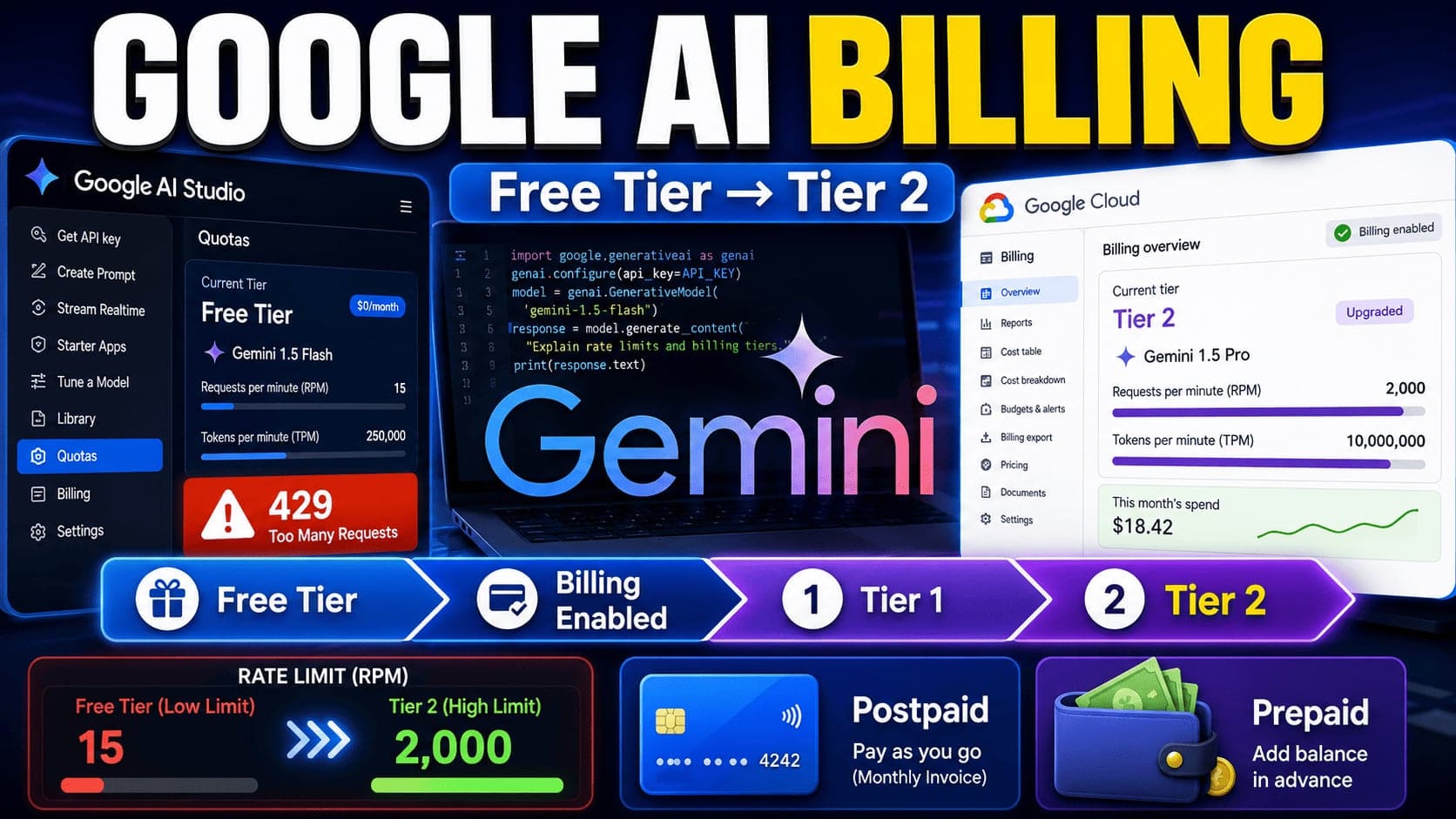
Many people think that once they create an API key in Google AI Studio, they can immediately use every Google AI service without limits.
But in reality, it does not work that way.
Some APIs, such as Gemini API, Google Text-to-Speech, or other Google Cloud AI services, may require your account to reach Tier 1, Tier 2, or a higher billing level before you can use them properly.
In this guide, I will explain the difference between Free Tier, billing-enabled accounts, Tier 1, Tier 2, Postpaid, and Prepaid. I will also share some common mistakes that can cause errors like 429 Too Many Requests, quota exceeded, or API not available.
1. Free Tier: Good for Testing, But Limited
Free Tier is the default level for many new Google AI Studio users.
When you first create an account, you can usually create an API key and start using some Gemini API features for free. This is very useful if you only want to test Gemini, build a personal project, translate a few subtitles, or learn how AI APIs work.
However, Free Tier has many limitations.
For example:
- The rate limit is usually low.
- Some APIs may not be available.
- Some models or features may show zero quota.
- Some services may require billing before you can use them.
- Running many parallel requests can quickly trigger rate limit errors.
So if your use case is simple testing, Free Tier may be enough.
But if you want to build a production app, run many background workers, process subtitles, generate voice, or handle multiple users at the same time, Free Tier will probably not be enough.
2. Why You May Need Tier 1 or Tier 2
When you use Google AI services in a real application, the most common problem is not the API key itself.
The problem is usually quota.
For example, you may see that some services have very low request limits. Some APIs may show a quota of zero. Some may require a billing-enabled account. Some may only become available after your account reaches a higher tier.
This is why many developers need to upgrade from Free Tier to Tier 1 or Tier 2.
The general flow is:
Free Tier → Enable Billing → Tier 1 → Meet spending and time requirements → Tier 2
Tier 1 usually unlocks more usage than Free Tier, but it may still not be enough for production use cases.
For example, if you are using Text-to-Speech, subtitle translation, video localization, or AI voice tools, a small request-per-minute limit can become a bottleneck very quickly.
If you run multiple workers in parallel, you may hit 429 Too Many Requests even when your code is correct.
That is when Tier 2 becomes useful.
Tier 2 can provide much higher rate limits and make your AI application more stable for real users.
3. Billing Enabled Does Not Always Mean “Unlimited”
A common misunderstanding is:
“I enabled billing, so I should be able to use everything now.”
That is not always true.
Enabling billing can move your account from Free Tier to Tier 1, but Tier 1 still has its own quota limits. It does not mean unlimited requests. It also does not guarantee that every Google AI service will be available at high throughput.
Billing is only one requirement.
Your account tier, payment history, quota, model availability, and Google’s current policy can all affect what you can use.
So when you see an API error, do not immediately assume your code is broken. Sometimes your account simply has not reached the required billing tier yet.
4. Postpaid vs Prepaid: The Most Confusing Part
One of the most important things to understand in Google Cloud Billing is the difference between Postpaid and Prepaid.
Many beginners only want to use Gemini API or Google AI Studio, and they hear someone say:
“Just add money to your account.”
But before doing that, you should understand how billing works.
5. What Is Postpaid?
Postpaid means you use the service first, and Google charges you later.
You do not need to add money in advance.
For example, if you only use a few dollars this month, Google will charge you only for what you used at the end of the billing cycle.
In my opinion, Postpaid is usually better for developers, SaaS builders, and people who are testing real applications.
Why?
Because your API will not suddenly stop just because your prepaid balance reaches zero.
If you are running a production system, background jobs, Docker workers, subtitle processing, or AI voice generation, Postpaid is usually safer and more convenient.
6. What Is Prepaid?
Prepaid works differently.
You add money first, then Google deducts your usage from that balance.
This is similar to how some other API platforms work. You add credits, then the API consumes those credits over time.
The advantage of Prepaid is budget control.
You can decide exactly how much money you want to add. This helps avoid unexpected spending.
However, the disadvantage is serious:
If your prepaid balance reaches zero, your API may stop working immediately.
This can be dangerous if you are running a production app or background processing system.
Another issue is that switching between Postpaid and Prepaid can be confusing and difficult in Google Cloud. So before choosing one, you should think carefully.
If you are building a SaaS or a production AI app, I personally prefer Postpaid.
7. How to Upgrade from Free Tier to Tier 1
To move from Free Tier to Tier 1, you usually need to enable billing for your Google Cloud project.
The basic idea is:
- Go to Google Cloud Billing.
- Select or create a billing account.
- Link that billing account to your project.
- Go back to Google AI Studio or your API quota page.
- Refresh and check whether your account has moved to Tier 1.
After billing is enabled, your project may move from “No Billing” or Free Tier to Tier 1.
However, remember that Tier 1 still has limits.
For small testing, Tier 1 may be enough. But for production workloads, you may still need Tier 2.
8. How to Upgrade from Tier 1 to Tier 2
To reach Tier 2, Google usually requires your account to meet certain billing and payment conditions.
For example, at the time of recording my original video, the account needed to have a successful payment history and enough paid usage before it could be upgraded.
The exact requirements may change over time, so you should always check the latest official Google AI Studio or Gemini API billing documentation.
In my experience, after meeting the required payment condition, the account may not upgrade instantly. Google may run an automatic process later, and your tier can be updated after some time.
So if you already paid but still do not see Tier 2 immediately, it may just need more time.
9. Why Tier 2 Matters for Production Apps
Tier 2 is not just about having a higher number on your account.
It can make your system much more stable.
For example, if you are building:
- Subtitle translation tools
- SRT-to-speech tools
- AI voice generation apps
- Video localization tools
- Gemini-powered SaaS products
- Batch processing workers
- AI content automation
Then rate limits are very important.
A low request-per-minute limit can slow down your entire system. It can also cause failed jobs, long queues, and poor user experience.
With a higher tier, you can process more requests in parallel and reduce the chance of hitting rate limits.
10. Common Errors and What They Mean
When using Gemini API or other Google AI services, you may see several common errors.
11. 429 Too Many Requests
This usually means you hit the rate limit.
Your code may be correct, but your account does not have enough quota for the number of requests you are sending.
To fix this, you can:
- Reduce parallel requests.
- Add retry logic.
- Use exponential backoff.
- Queue jobs with RabbitMQ or another queue system.
- Upgrade your billing tier if needed.
- Check your quota page.
12. Quota Exceeded
This means you used more than your allowed quota.
This can happen on Free Tier, Tier 1, or even Tier 2 if your app sends too many requests.
You should check your current quota in Google Cloud Console or Google AI Studio.
13. API Not Available
Sometimes an API is not available because your account has not reached the required tier.
This does not always mean the API is broken.
It may simply mean your billing account does not meet the requirement yet.
14. 400 Bad Request
This is usually a problem with your request.
For example:
- Wrong JSON format
- Invalid model name
- Invalid parameter
- Missing field
- Unsupported input format
In this case, you should check your API request body and the official documentation.
15. 403 Forbidden
This may be related to permission, API key restrictions, billing, or project configuration.
You should check:
- Whether the API is enabled
- Whether billing is enabled
- Whether your API key is restricted correctly
- Whether your project has permission to use the service
16. 500 or 503 Errors
These are usually server-side errors.
Sometimes the issue comes from Google’s side. In production, you should handle these errors with retry logic and fallback behavior.
17. Should You Upgrade Immediately?
Not always.
If you are only learning Gemini API, testing prompts, translating a few subtitles, or building a small personal project, Free Tier may be enough.
I do not recommend enabling billing or trying to upgrade to Tier 1 or Tier 2 immediately if you do not need it.
You should upgrade only when:
- You are running a production app.
- You need higher throughput.
- You need to process many requests in parallel.
- You are hitting rate limits often.
- You need access to a service that requires a higher tier.
- Your users are affected by slow or failed jobs.
Upgrading tier is not the goal.
The goal is to make your application stable.
If Free Tier already meets your needs, just keep using Free Tier.
18. My Personal Recommendation
Based on my experience building a SaaS product that uses Google AI heavily, I would suggest this:
Use Free Tier if you are only learning, testing, or building small tools.
Enable billing and use Tier 1 if you are starting to build a serious project.
Consider Tier 2 only when you need higher throughput, more parallel processing, or production-level stability.
For billing type, I personally prefer Postpaid for SaaS and production apps because it is more stable and less likely to stop suddenly due to zero balance.
Prepaid is useful if you want strict budget control, but you must monitor your balance carefully.
19. Important Warning
Google’s billing rules, quota limits, and tier requirements can change over time.
So do not blindly follow a fixed number from a random video or blog post.
Before upgrading, always check the latest official documentation from Google.
The information in this guide is based on my experience at the time of writing, but your account may have different limits depending on region, billing history, project type, and Google’s current policies.
20. Final Thoughts
Google AI Studio and Gemini API are very powerful, but billing and quota can be confusing for beginners.
The most important concepts to understand are:
- Free Tier is good for testing.
- Billing Enabled usually moves you toward Tier 1.
- Tier 1 still has quota limits.
- Tier 2 is useful for production workloads.
- Postpaid means use first, pay later.
- Prepaid means add money first, then use.
429 Too Many Requestsusually means you hit the rate limit.- Not every API error means your code is wrong.
If you are building tools like subtitle translation, SRT-to-speech, AI voice generation, or video localization, understanding billing tiers is very important.
It can help you avoid failed jobs, unexpected API errors, and unnecessary spending.
Use Free Tier when it is enough.
Upgrade only when your product actually needs it.